
Overview
During sandbox integration, you can trigger PRESS events directly from the UAE KYC dashboard — no code or API calls needed. This lets you test your webhook endpoint against real event payloads before going live.You must be in the Sandbox environment to generate test events. Events triggered here are delivered to your sandbox webhook endpoint only.
Generate events
Try the interactive demo below to see how sandbox event testing works.Step-by-Step Guide
Switch to Sandbox and generate an event
Log in to the UAE KYC dashboard. Click the environment toggle in the top-right corner and select Sandbox. Go to Sandbox Residents, find the resident you want to trigger an event for, click the actions menu (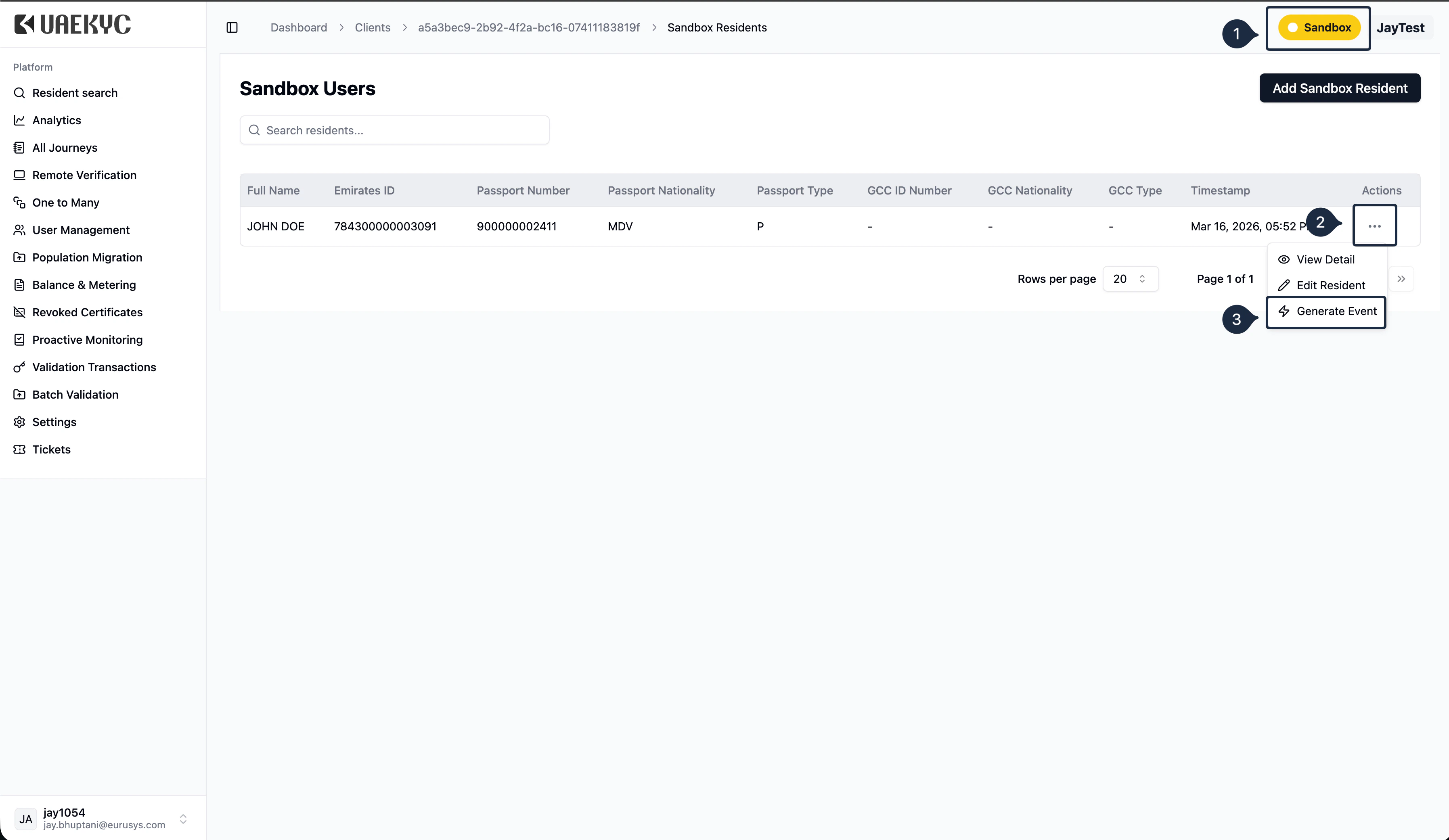
...) on their row, and select Generate Event.Choose an event category and type
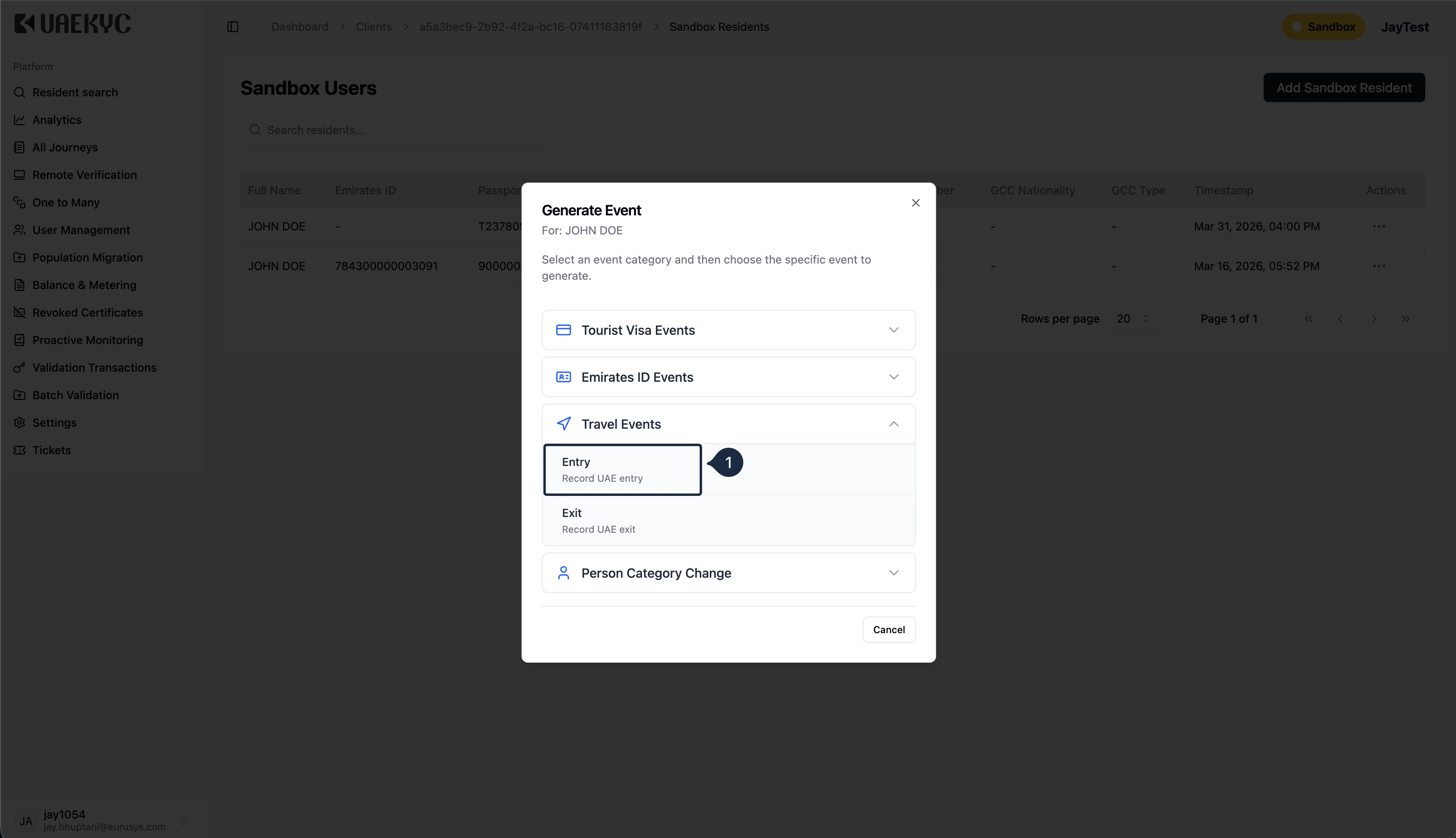
The Generate Event dialog shows all available event categories. Expand a category to see the specific events you can trigger.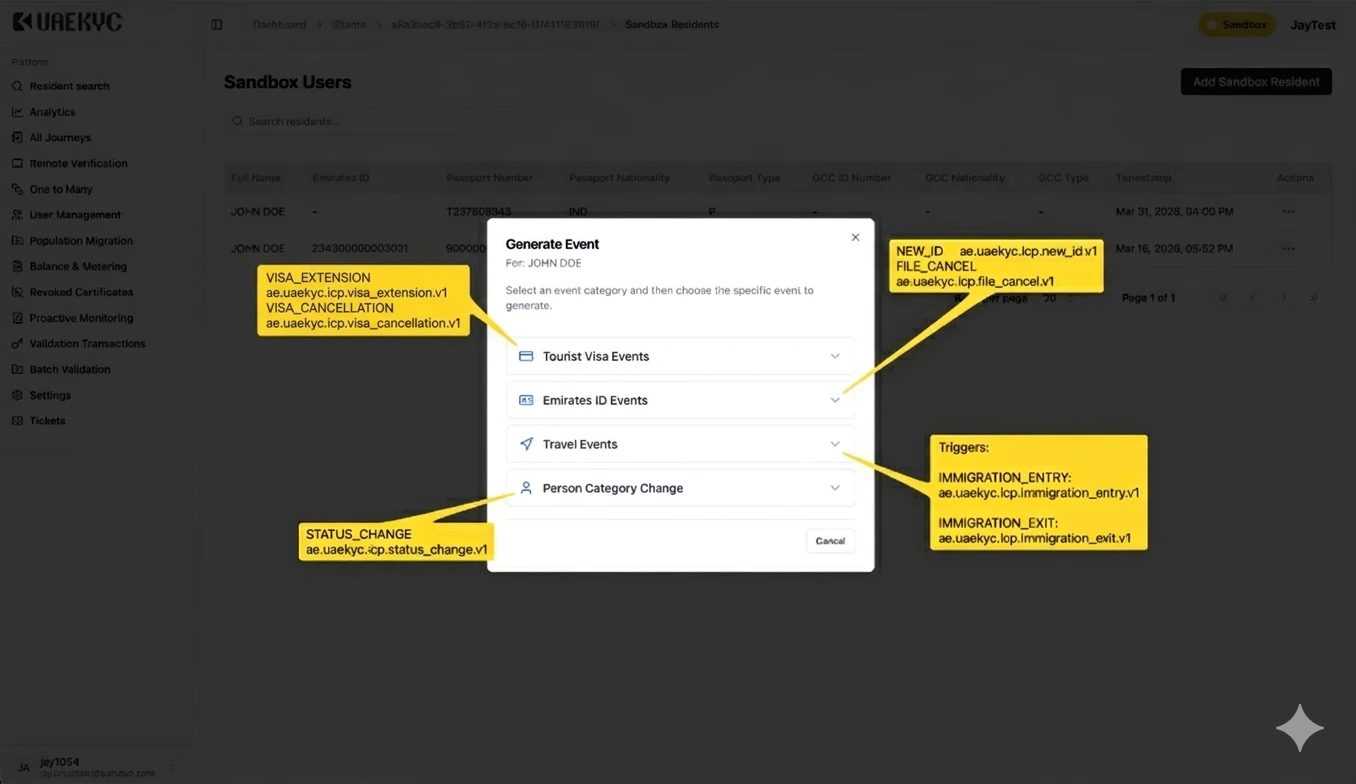
| Category | Events Available |
|---|---|
| Tourist Visa Events | VISA_EXTENSION, VISA_CANCELLATION |
| Emirates ID Events | NEW_ID, FILE_CANCEL |
| Travel Events | IMMIGRATION_ENTRY |
| Person Category Change | STATUS_CHANGE |
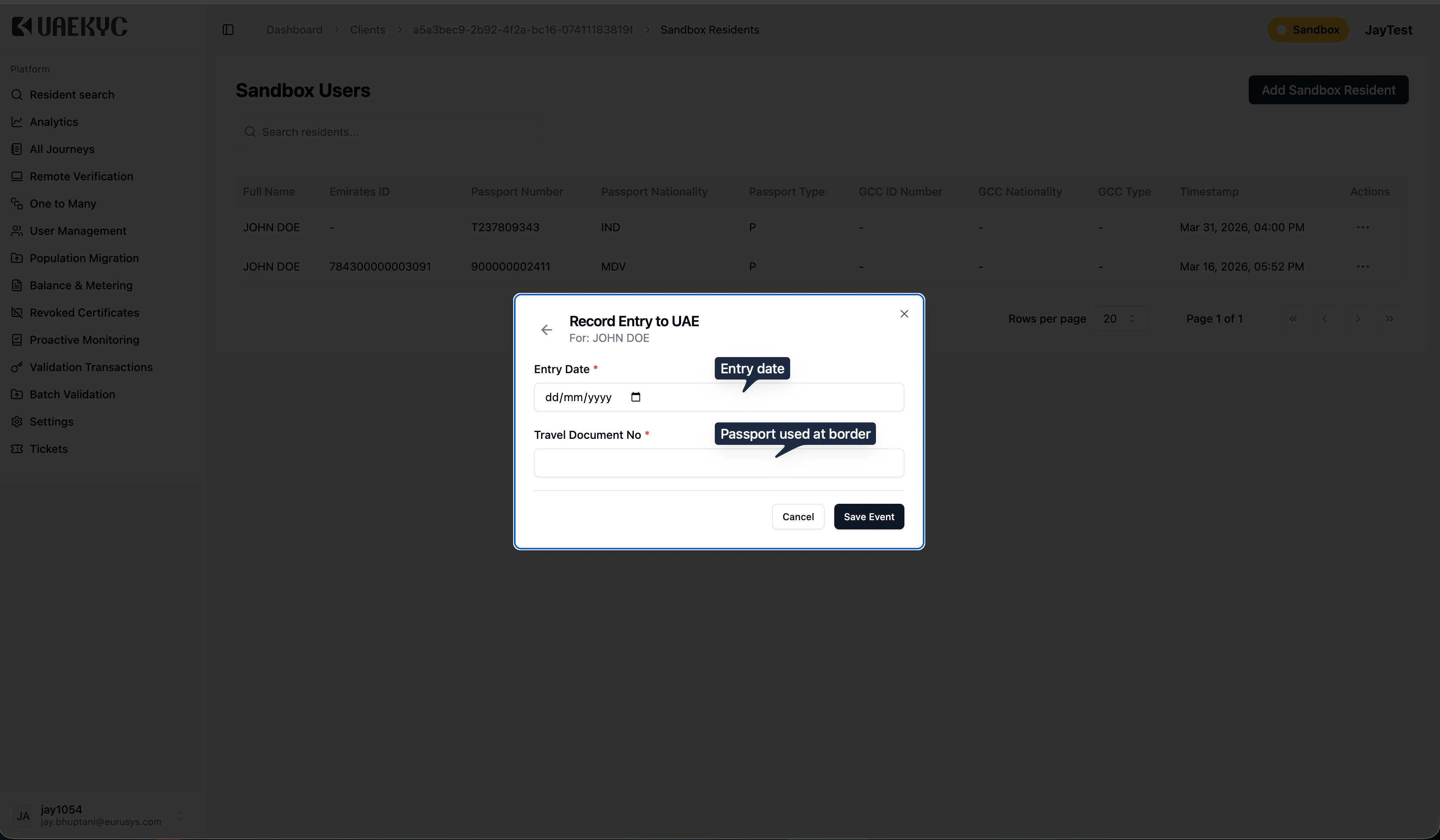
What Happens After You Save
- The dashboard sends the event to the PRESS engine.
- PRESS matches the resident to your sandbox portfolio.
- A signed webhook delivery (HMAC-SHA256) is sent to your sandbox webhook endpoint.
- Your endpoint receives the payload in CloudEvents v1.0 format.
Troubleshooting
| Problem | What to check |
|---|---|
| No event received | Confirm you are in Sandbox mode, not Production. Check that your sandbox webhook URL is correctly registered. |
| Signature mismatch | Make sure you are using your sandbox signing secret, not the production one. |
| Event not matching | The resident must be onboarded in your sandbox portfolio. Add a sandbox resident if needed. |
| Timeout errors | Your endpoint must respond with 200 within 500 milliseconds. Move business logic to a background worker. |
FAQ
How do I achieve a 500ms response time?
How do I achieve a 500ms response time?
Do not run business logic inside your webhook handler. Instead, write the incoming payload to a message broker (e.g., Apache Kafka, RabbitMQ, Amazon SQS, or any queue available in your system) and return the HTTP This pattern ensures your endpoint always responds well within the 500ms window, regardless of how complex your downstream processing is.
200 response immediately from your POST endpoint.Your background consumers can then pick up the event from the queue and process it at their own pace — updating accounts, triggering notifications, calling Validation APIs, etc.Why are some event options disabled in the Generate Event dialog?
Why are some event options disabled in the Generate Event dialog?
There are two reasons an event type may appear disabled (greyed out) in the Generate Event dialog:1. Event not subscribedThe event type is not enabled for your organisation from the ICP side. This means you have not subscribed to this event during onboarding, or ICP has not activated it for your use case. Contact ICP support to enable additional event subscriptions.2. Invalid state transition for the residentThe current person classification of the sandbox resident does not allow the selected transition. ICP enforces real-world state transition rules even in sandbox. If a transition is not logically valid, it will be disabled.Common examples:
| Current Person Class | Allowed Transitions | Not Allowed |
|---|---|---|
| Tourist | Entry, Visa Extension, Visa Cancellation, Status Change (to Resident or Visitor) | NEW_ID — Emirates ID events are not available for tourists |
| Visitor | Entry, NEW_ID, Status Change (to Resident or Golden Visa) | — |
| Resident | Entry, NEW_ID, FILE_CANCEL, Visa Extension, Visa Cancellation, Status Change (to Golden Visa or another Resident visa) | Status Change to GCC — not a valid transition |
| GCC National | Entry, Status Change (to Resident or Golden Visa) | Transition to GCC from other classes is not possible |
| Golden Visa | Entry, NEW_ID, FILE_CANCEL, Visa Cancellation | — |
Can I test all 7 lifecycle events with a single sandbox resident?
Can I test all 7 lifecycle events with a single sandbox resident?
Not in one go. Since each event changes the resident’s state, you may need to reset or edit the resident’s person classification between tests. For example, to test
NEW_ID you need the resident set to Visitor or Resident — not Tourist.Create multiple sandbox residents with different person classifications to cover all event types efficiently.Why did I receive the same event twice?
Why did I receive the same event twice?
PRESS uses at-least-once delivery. Duplicates can happen due to retries or network issues. Use the
X-Webhook-Id header as your idempotency key to detect and skip duplicates. See Signature & Delivery for implementation details.